Mastering the Art of Customization: The Ultimate Guide to Brushstroke Canva Frame Templates
In the fast-paced digital landscape where visual communication is paramount, having a unique and professional look for your content can make all the difference. Whether you are a small business owner creating social media posts, an educator designing engaging lesson plans, or a creative enthusiast crafting sublimation designs, the right tools can transform your ideas into reality. Enter the Brushstroke Canva Frame Template Design, a versatile tool that bridges the gap between artistic flair and technical ease. This guide explores everything you need to know about these customizable frames, from their core features to their practical applications in modern creativity.
What is a Brushstroke Canva Frame?
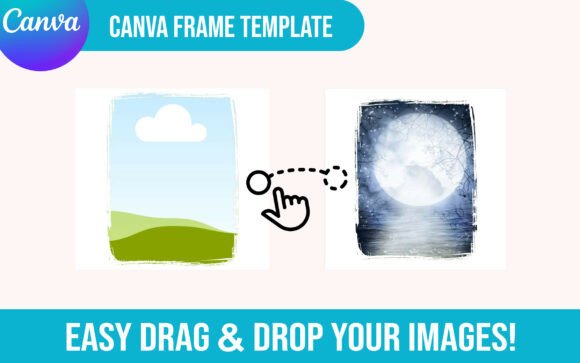
A brushstroke frame is more than just a border; it is a design element that adds texture, personality, and a human touch to digital projects. Unlike rigid, geometric shapes that often feel cold or corporate, brushstrokes mimic the organic imperfections of hand-painted art. When applied as a Canva frame template, these elements serve as a container for your images, allowing you to create stunning collages, photo overlays, and graphic designs without needing advanced graphic design skills.
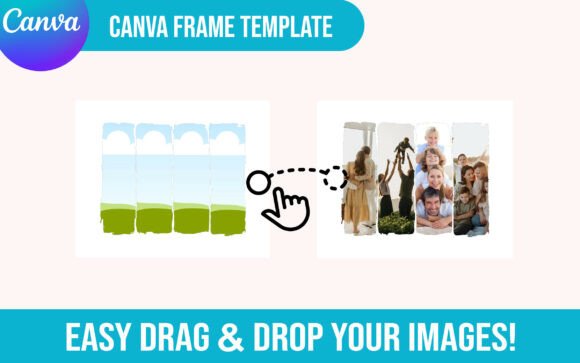
The specific design discussed here features a grunge and distressed aesthetic. This style incorporates cracked textures and rough edges, evoking a sense of vintage charm or edgy modernity. It is perfect for brands that want to stand out with a raw, authentic vibe. By utilizing a drag-and-drop functionality, these templates democratize design, making high-quality visuals accessible to everyone regardless of their technical expertise.
The Power of Editability and Flexibility
One of the most significant advantages of using a fully editable Canva frame is the freedom it offers. Traditional graphic design software often requires a steep learning curve, but Canva simplifies the process. With this template, you are not locked into a static image. You have the ability to:
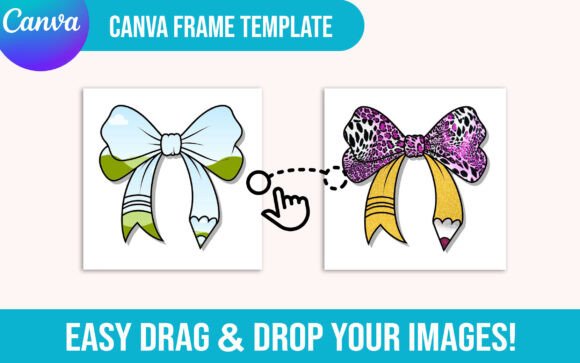
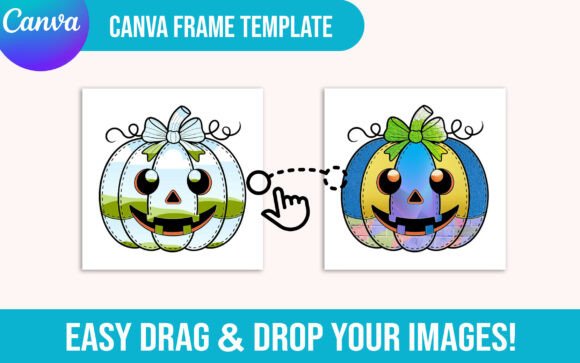
- Upload Your Images: Simply drag your personal photos, product shots, or client work directly into the designated areas.
- Customize Colors: Adjust the hues of the brushstrokes to match your brand identity or project theme.
- Modify Layouts: The template supports both single-point and four-point configurations, giving you options for different aspect ratios and composition styles.
- Create Variations: Use the same base design to create multiple variations by changing the background, text, or image placement.
This level of customization ensures that your final output feels customized and unique, rather than generic or mass-produced.
How It Works: From Purchase to Creation
Understanding the delivery and usage process is crucial for a seamless experience. Since this is a digital download, there are no physical items shipped to your door. Instead, the convenience lies in immediate access to your creative assets. Here is what you can expect when you acquire this template:
- Access the ZIP File: Upon purchase, you will receive a PDF file containing a link to a ZIP archive. This archive holds all the necessary design files.
- Open the PDF: Open the provided PDF document on your computer or mobile device. Look for the clickable button labeled "Your Template here".
- Launch in Canva: Clicking the link will automatically open the design in your Canva account (or prompt you to log in). The template is pre-loaded with all the design elements, including the paint strokes, crack effects, and shape layers.
- Start Editing: Once opened, you can immediately begin uploading your own images. The drag-and-drop interface makes it intuitive to replace placeholder images with your own content.
This streamlined workflow saves hours of setup time, allowing you to focus purely on the creative aspect of your project.
Practical Applications in Modern Life and Business
The versatility of the Brushstroke Canva Frame Template extends far beyond simple photo editing. Its adaptability makes it a valuable asset across various sectors:
Social Media Marketing
In the world of social media, consistency is key, but monotony is the enemy. Brands can use these frames to create cohesive yet dynamic feeds. For instance, a coffee shop might use a distressed brushstroke frame to showcase daily specials, adding a rustic, artisanal feel that resonates with customers. The trendy canva frame style fits perfectly with current aesthetics that favor authenticity over perfection.
E-Commerce and Sublimation
For entrepreneurs selling physical goods, sublimation designs are a goldmine. These frames serve as excellent backgrounds for t-shirts, mugs, and tote bags. By inserting product images into the collage sublimation design layout, sellers can create mockups that look professional and ready-to-print. The distressed and grunge elements add depth to the design, making printed products appear more tactile and high-quality.
Education and Content Creation
Educators and content creators can leverage these templates to make learning materials more engaging. A teacher preparing a back to school cover could use the frame to highlight student achievements or course highlights. The editable template nature allows for quick updates each semester, ensuring materials remain fresh and relevant without starting from scratch.
Digital Scrapbooking and Personal Projects
On a personal level, these frames are ideal for digital scrapbooking. Families can preserve memories by arranging photos within the brushstroke borders, creating a collage that feels like a handmade album. The ghost canva template capabilities allow for transparent backgrounds, meaning you can layer these frames over any color or pattern to create a custom png file for further use.
Clarifying Common Misconceptions
As with any digital product, there are often questions or misunderstandings that potential users may have. It is important to clarify a few points to ensure you get the most out of your purchase.
Misconception 1: "I need to be a designer to use this."
This is simply not true. The entire point of a drag-and-drop template is to remove the barrier of technical skill. If you can upload a photo and move a box, you can use this template. The complexity is handled by the pre-built design elements.
Misconception 2: "This is a physical product I will receive in the mail."
Remember, this is a digital download. No shipping fees apply, and there is no waiting time for delivery. You receive your canva frames png and template files instantly upon completing the transaction.
Misconception 3: "The design is fixed and cannot be changed."
While the base structure of the brushstroke and grunge elements remains intact to maintain the aesthetic, every component is fully editable. You can change colors, resize the frame, delete elements you don't need, or add new text layers. It is a make your own png solution that adapts to your needs.
Why Choose a Brushstroke Style?
Why opt for a brushstroke frame over a clean, minimalist border? The answer lies in emotion. In a world dominated by pixel-perfect vector graphics, the imperfect, hand-painted look of a paint stroke stands out. It suggests effort, care, and a human connection. This custom clipart style adds character to your work, making it feel less like a corporate advertisement and more like a personal expression.
The inclusion of crack and distressed details further enhances this effect, providing a sense of history and texture. Whether you are aiming for a preppy png look or something grittier, these design elements provide the foundation for a wide range of styles. They are particularly effective in collage layouts, where they help unify disparate images into a cohesive whole.
Conclusion: Elevate Your Creativity Today
The Brushstroke Canva Frame Template Design represents the intersection of artistic vision and technological convenience. It empowers individuals and businesses to create professional-grade graphics without the need for expensive software or extensive training. By offering a single and 4 point configuration, full editability, and a user-friendly drag-and-drop system, it removes the friction often associated with design.
Whether you are looking to create a back to school cover, design a sublimation print, or simply organize your family photos, this template provides the tools you need to succeed. With its grunge aesthetic and versatile functionality, it is a must-have addition to any creator's toolkit. Embrace the power of customization and let your creativity flow with the ease of a Canva picture frame that truly works for you.
Ready to start creating? Access your PDF, open the ZIP file, and click "Your Template here" to begin your journey into endless design possibilities. Thanks to Creativetee for providing such a robust and user-friendly resource for designers everywhere.